How do you make a company profile presentation with AI?
Updated 2026-11-07
A company profile presentation needs about 10 slides: cover, who we are, what we do, the company at a glance, how we work, milestones, team, customers and proof, where we operate, and contact. Paste the facts into the box on the home page (or attach an about-page document), write the slide count, check the outline cards, generate, and export an editable PowerPoint (.pptx).
Below: the 10 slides as a table with what goes on each and the layout kind it usually gets, an outline you can copy as the AI's input, the steps in the product, and the facts the AI cannot know about your company. The table and the input outline are our suggestion, not a recording: we have no recorded company profile, so check every slide against your own documents.
Five steps from your company facts to a profile deck
Put your company facts in one place
Founding year, headcount, locations, what you sell and to whom, customer numbers you may share, milestones with years, and the names of the leaders. Paste them into the request, or put them in one short document (Word, PDF, Markdown or text, up to 25 MB) and attach it with "Add files". The AI knows nothing about your company beyond what you give it.
Paste the input outline and fill the brackets
Copy the outline below, replace every bracket with your own fact, and delete the lines you have no fact for. Add "Use only these facts; don't add outside figures". With a file attached the AI reads your material instead of searching the web, which matters for a company profile: a web search can mix up companies with similar names.
Set the audience, tone and look
Under "More" choose the audience "Clients" (the AI is told to use their problem and the value to them, with no internal jargon) or "Investors" or "Teammates", and a tone such as "Professional". There is no scenario named for a company introduction, so leave the scenario on "Auto". Pick the look under "Look".
Click "Next" and check the cards against the table
Choose quick mode (1 credit per slide) or deep mode (3). Compare the cards with the table below, delete what you cannot support, and reorder. Every card is plain editable text. Nothing is charged until you click "Generate presentation".
Generate, add your logo and photos, export
Ask for changes in plain words (1 credit each) or click the text and edit it. The product does not make pictures: upload your logo, office and product photos with "Add files", choose "My uploads" under "Pictures", and use "Use my uploaded image" in the editor to place one. Then export PowerPoint (.pptx) or PDF. Exporting is free.
The 10 slides of a company profile, and an input outline for the AI
The table is our suggested order for a 10 to 15 minute company introduction. The third column is the layout kind the outline step would usually suggest for that content; the AI may choose another.
| # | Slide | What goes on it | Layout kind |
|---|---|---|---|
| 1 | Cover | Company name, one-line description, the occasion or date | Cover |
| 2 | Who we are | What the company does, for whom, in two sentences | Statement |
| 3 | What we do | Your two to four products or services, one line each | Cards |
| 4 | The company at a glance | Founded, headcount, locations, customers served: three or four numbers | Stats |
| 5 | How we work | Your method in three to five steps, from the customer's side | Process |
| 6 | Milestones | Five to seven dated events, oldest first | Timeline |
| 7 | Team and leadership | Leaders with role and a line each, or how the teams are organized | Hierarchy or cards |
| 8 | Customers and proof | Customer names you may use, a result, a quote you have permission to use | Stats or quote |
| 9 | Where we operate | Offices, regions served, certifications | Table |
| 10 | Contact | The person, email, website; one action you want next | Closing |
For a leave-behind PDF add partners, awards and a sustainability or values slide, up to 12 to 15 slides, and set "Text per slide" to Detailed. The product accepts 1 to 30 slides and the cover counts.
The picture is a real slide of the layout kind used for slide 4 (a few facts and one big number), from our recorded "Course design overview" run (October 2026, a made-up course): it shows the look, not company content.
Pasted into the box (English)
Company profile, 10 slides
Make a 10-slide company profile presentation for [company name], for prospective clients. Use only the facts below; don't add outside figures. Where a fact is missing write "TBD".
1. Cover: [company name], [one-line description].
2. Who we are: [what we do] for [who], since [year].
3. What we do: [product or service 1]; [product or service 2]; [product or service 3].
4. At a glance: founded [year]; [number] employees; offices in [places]; [number] customers.
5. How we work: [step 1], [step 2], [step 3].
6. Milestones: [year] [event]; [year] [event]; [year] [event].
7. Team: [name, role]; [name, role]; [name, role].
8. Customers and proof: [customer names allowed]; [one result with its number and year].
9. Where we operate: [offices and regions]; [certifications].
10. Contact: [name], [email], [website]; next step: [what you want them to do].
(Fill every bracket or delete the line. A bracket left in is read as text and may show up on a slide. The "TBD" line is a request to the AI, not a guarantee: read the slides for gaps.)
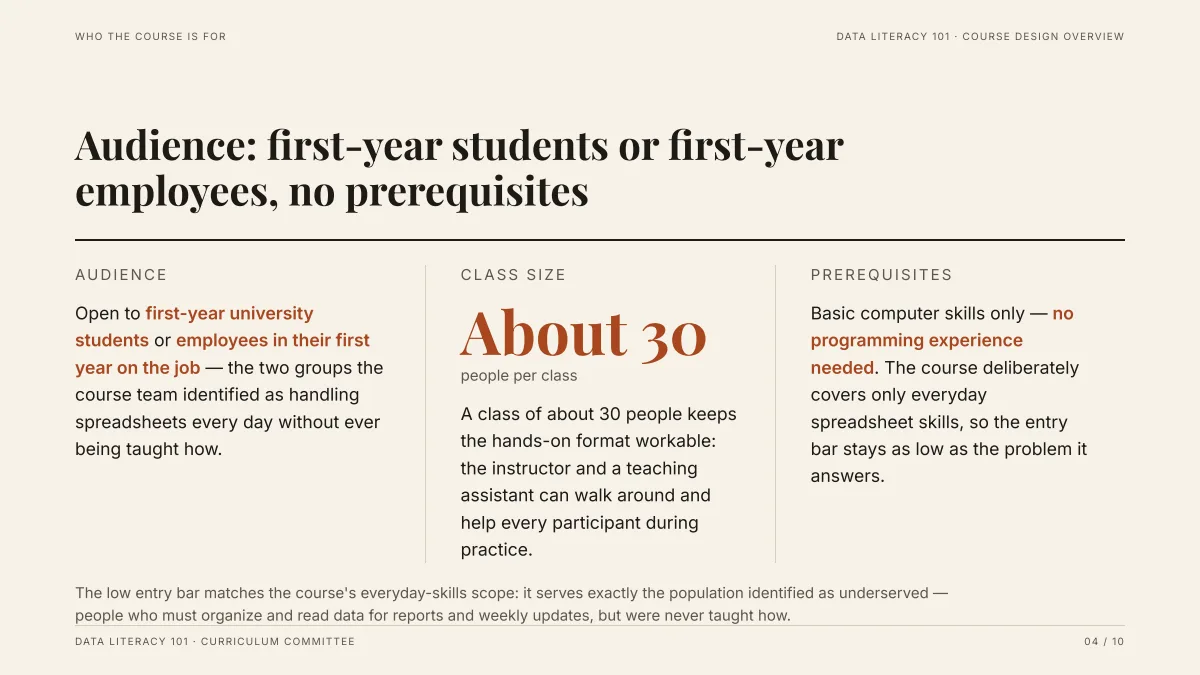
- Three columns with one big number: for slide 4 use the same pattern with a number such as headcount or years in business, and short lines for the rest.
- The content is a made-up course, written from a Word draft we supplied. Your numbers come from your request or file, never from this example.
- In our recording, 10 slides came about 71 seconds after the request (outline after 16 seconds), in deep mode from an attached document.
What facts must I give the AI for a company profile?
Everything that is specific to your company. The AI is told to use facts only from your request, your files and its web research, and never to invent statistics, so a fact you leave out is either marked "TBD" or left out, and a web search can fill it with something about a different company.
- Numbers: founding year, headcount, offices, customers, revenue only if you are willing to publish it.
- Names: leaders, customers (only those who agreed), partners, products.
- Dates: milestones with years.
- Claims: awards, rankings and certifications with the year and the issuer.
Leave out anything you would not put on your public website.
How is a company profile different from a pitch deck or a sales deck?
| | Company profile | Pitch deck | Sales deck | |
|---|---|---|---|
| Who reads it | Clients, partners, recruits, the press | Investors | A buyer with a problem |
| Main question | Who are you and can I trust you? | Is this worth funding? | Will this solve my problem? |
| Ends with | Contact and a next step | The ask: amount and use of funds | A proposal or a trial |
| Core slides | At a glance, milestones, team, proof | Problem, market, traction, financials | Pain, solution, proof, price |
Pick the scenario "Investor pitch" for the pitch deck and see the pitch deck guide; for the profile leave the scenario on "Auto".
How many slides and how much text per slide?
Ten slides is about 10 to 15 minutes at one to two minutes per slide. A profile is often sent as a PDF and read alone, so "Text per slide" at Concise (about 100 words) or Detailed (about 150) suits it better than Minimal (about 50). For a live introduction use Minimal or Concise. See the guide on how many slides to use for a talk length.
Can I use my brand colors and template?
We have not tested matching a brand style from the outline step. If you already have a branded PowerPoint, the "Your PowerPoint" option changes the file you upload in place (add, delete and reorder slides, change text, one credit per change) instead of making a new deck: see the guide on editing PowerPoint with AI. Otherwise export the PPTX and apply your own theme in PowerPoint.
Questions
Can AI make a company profile presentation?
Yes, as slides. Give it your company facts or attach a short document, say how many slides you want, and it drafts one editable card per slide and then the deck, which you can export as PowerPoint or PDF. It knows nothing about your company beyond what you give it, so every number, name and date has to come from you.
What slides should a company introduction deck have?
Our suggestion is 10: cover, who we are, what we do, the company at a glance, how we work, milestones, team, customers and proof, where we operate, contact. This is a structure we propose, not a measured best practice.
Will the AI make up facts about my company?
It is told to use facts only from your request, your files and its research, and not to invent statistics. If you attach a file, a missing figure can show as "TBD". Without a file it searches the web and may write generic content or mix up companies with similar names, so attach your facts and read every slide.
Can I add my logo and photos?
Yes. The product does not generate pictures, but you can add your own (PNG, JPG, WebP or GIF, up to 25 MB each) with "Add files", choose "My uploads" under "Pictures", and place one with "Use my uploaded image" in the editor.
Can I edit the result in PowerPoint?
Yes. The PPTX export keeps text as editable text, and PDF export is there too. Exporting is free.
How much does it cost?
Writing the outline is free. Quick mode costs 1 credit per slide, deep mode 3, each AI edit 1, and exporting is free. New accounts get 20 free credits; credit packs are one-time purchases (for example $5.99 for 40 credits plus 10 bonus) with no subscription, and credits never expire. See the Pricing page.
Start with your company facts
Paste the input outline with your own facts and check the 10 cards against the table before any slide is made.
Make my company profile deck