How do I make an employee onboarding presentation with AI?
Updated 2026-11-06
An onboarding presentation, the welcome deck for a new hire's first week, needs about 13 slides: welcome, first-week agenda, who we are, how we are organized, the first 30, 60 and 90 days, your team and who to ask, tools and access, how we work, policies, benefits, culture, a first-week checklist and contacts. Attach your handbook and the AI drafts these as outline cards you can edit before any slide is made.
The AI knows nothing about your company: names, policies, benefits, dates and tools must come from you. The table below shows, for each slide, which facts only you have and where to find them in your own documents. This is a structure and a prompt, not a recording: we have no recorded onboarding run, so check every slide against your handbook.
Five steps from your handbook to onboarding slides
Collect the facts the table below asks for
Take them from your handbook, org chart, IT access list and benefits summary. Put what you want on the slides in one document (Word, PDF, Markdown or text, up to 25 MB), and leave out anything personal about named employees, such as pay or ID numbers: the deck does not need it.
Attach the document and paste the prompt
Attach the file with "Add files", paste the prompt below with your details, and say "use the attached handbook and stick to it". With a file attached, the AI reads your material instead of searching the web, and figures on the slides have to come from the file.
Choose the scenario and audience
Under "More" choose the scenario "Internal training" and the audience "Teammates", and a friendly tone such as "Friendly". Put the slide count in the request.
Check the cards against your handbook
Click "Next", then read every card. Delete anything that is not in your handbook, and fill the gaps yourself: the cards are plain editable text. Nothing is charged until you click "Generate presentation".
Generate, then have the owner of each topic check it
Export PowerPoint (.pptx) to finish in PowerPoint. Have HR check the policy and benefits slides, IT the tools slide, and the team lead the first-90-days slide. Exporting is free.
The 13 slides of an onboarding presentation, and the facts only you have
This is our suggested structure for a welcome deck of about 15 to 20 minutes (not a product template and not a recording). Each row is one outline card; the third column is what you must supply.
| # | Slide | Facts only you have, and where they usually live |
|---|---|---|
| 1 | Welcome | Company and team name, start date, who is presenting (your own details) |
| 2 | First-week agenda | Day-by-day schedule (HR or the team lead) |
| 3 | Who we are | What you do, for whom, size, one or two real milestones (handbook, about page) |
| 4 | How we are organized | Teams and who leads them (org chart) |
| 5 | Your first 30, 60 and 90 days | The goals for each stage (the hiring manager) |
| 6 | Your team and who to ask | Manager, buddy, contacts for IT, HR and payroll (HR) |
| 7 | Tools and access | Each tool, what it is for, who sets it up (IT access list) |
| 8 | How we work | Hours, meetings, how to reach people (handbook) |
| 9 | Policies that matter on day one | A short summary and a link per policy: security, leave, expenses (policy documents) |
| 10 | Benefits and pay | Benefits list, pay dates, how to claim (HR; no personal figures) |
| 11 | Culture and values | Your own wording of your values, with one real example each |
| 12 | First-week checklist | Tasks, owners and dates (HR and IT) |
| 13 | Questions and contacts | Where to ask, names and channels |
Slide 2 is an agenda. The AI is told to add an agenda only when a deck runs past 10 slides, which this one does, so expect one.
Prompt (English)
Employee onboarding, 13 slides
Make a 13-slide onboarding presentation for new employees of [company name], for their first week. Use the attached employee handbook and stick to it; don't add outside facts or figures. Where the handbook does not say, write "TBD" instead of guessing. Slides in this order: welcome, first-week agenda, who we are, how we are organized, the first 30, 60 and 90 days, your team and who to ask, tools and access, how we work, policies that matter on day one, benefits and pay, culture and values, a first-week checklist, questions and contacts. Friendly tone. No names of real people except those in the handbook.
(The "TBD" line is a request to the AI, not a guarantee: read the cards and the slides for anything that is not in your handbook.)
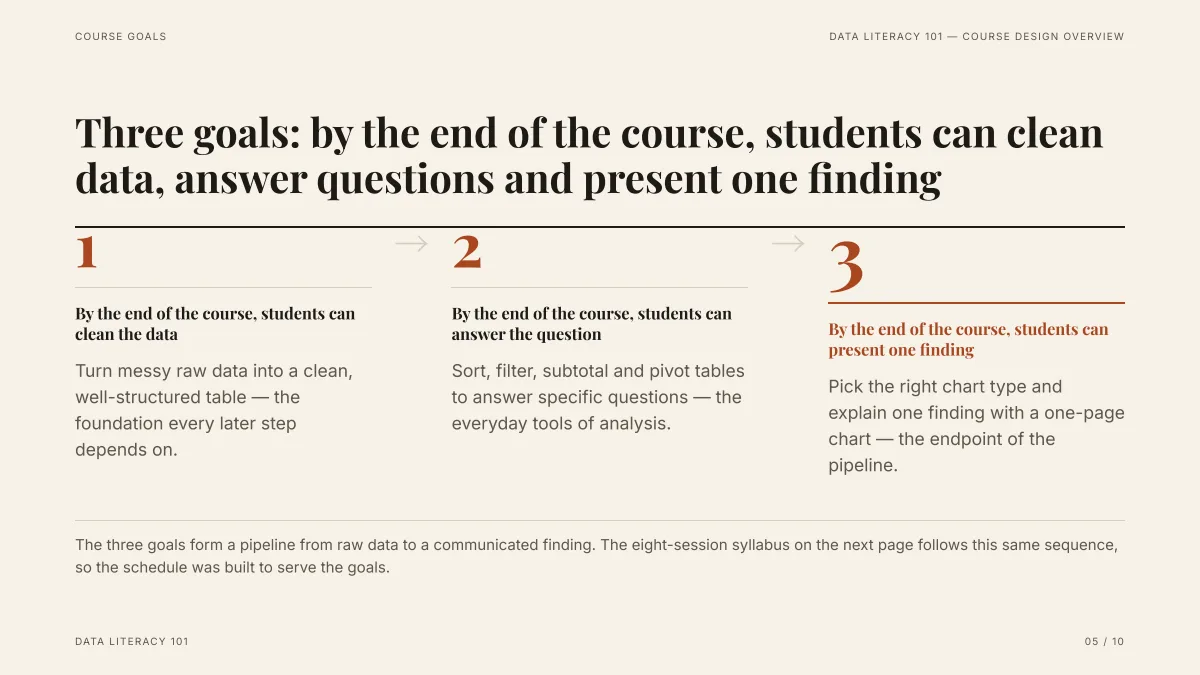
- Three numbered goals, each a full "by the end..." sentence: slide 5 of the table can use the same pattern for day 30, day 60 and day 90.
- The content is a made-up course and was written from a Word draft we supplied. Your goals come from your manager, not from the AI.
- The slide was made in deep mode from an attached document, which is how an onboarding deck should be made too.
What should I never let the AI write in an onboarding deck?
- Policy text: leave days, probation, security rules and anything legal. Summarize from the policy document yourself and link to the document.
- Pay, benefit amounts, dates and deadlines.
- Names, titles and contact details of people.
- Your company's history and numbers: the AI may fill these from the web if you attach nothing, and if you name a company it can find things about a different one with the same name.
If you attach nothing, the AI first researches the topic on the web and writes a generic deck. For an onboarding deck, always attach the handbook.
How is this different from a training presentation?
An onboarding deck welcomes people and orients them: who we are, who to ask, what to do in week one. A training presentation teaches a skill in modules, with practice or check-yourself slides. Our guide on employee training presentations covers modules, quiz slides and measured words per slide; use it for the training sessions that come after this deck.
How many slides and how much text?
Thirteen slides is about 15 to 20 minutes at one to two minutes per slide. A new hire often reads these slides again alone, so "Text per slide" at Concise (about 100 words) or Detailed (about 150) suits it better than Minimal (about 50). You can ask for 1 to 30 slides; the cover counts.
Can I make the same deck in another language?
The interface and the decks come in English, Japanese, Simplified and Traditional Chinese, Arabic, Persian and Russian. Choose the deck language in the request options, or write your request in that language. We have not tested onboarding decks in each of them.
Questions
Can AI make an employee onboarding presentation?
Yes, as slides. Attach your employee handbook, say how many slides you want and what each should cover, and the AI drafts an outline you can edit and then the slides. It does not know your company, so every name, policy, benefit and date has to come from your documents. Check each slide with the person who owns that topic.
How many slides should an onboarding presentation have?
About 13 for a first-week welcome of 15 to 20 minutes, by the rule of one to two minutes per slide. That is our suggestion, not a standard. See the guide on how many slides to use for a talk length.
Will the AI make up company information?
It is told to use facts only from your request, your files and its research, and not to invent statistics. If you attach a file with figures, a missing figure can show as "TBD" instead. Without a file it works from the web and may write generic content. Attach your handbook, and read every slide.
Can I attach my employee handbook?
Yes: PDF, Word (.docx), Markdown or text, up to 25 MB each. The outline step reads about 24,000 characters of attached files in all, headings first for a long file, and the outline page says when a file was too long to read whole.
How much does it cost?
Writing the outline is free. Quick mode costs 1 credit per slide, deep mode 3, each AI edit 1, and exporting is free. New accounts get 20 free credits; credit packs are one-time purchases (for example $5.99 for 40 credits plus 10 bonus) with no subscription, and credits never expire. See the Pricing page.
Start from your handbook
Attach the handbook, paste the prompt, and check every card against your own documents before any slide is made.
Make my onboarding deck