What slides does a product launch presentation need?
Updated 2026-11-06
A launch presentation needs about 12 slides: the promise, why now, what is new, how it works, the product in action, who it is for, proof, old way versus new way, pricing, availability, how to start and a call to action. Give the AI your facts in one request or one attached brief, and it drafts these as outline cards you can edit before any slide is made.
Below are the 12 slides as a table with what each one holds, a prompt you can paste, and the steps in the product. The structure is our suggestion, not a recording of a launch event: we have no recorded run of one, so check every claim, date and price against your own brief.
Five steps from a product brief to launch slides
Put your launch facts in one place
Product name, a one-sentence promise, three headline features, pricing, availability dates and regions, and the proof you are allowed to cite. Put them in the request, or in a short brief you attach (PDF, Word, Markdown or text, up to 25 MB). The AI does not know your unreleased product: what you do not give it, it will propose or leave out.
Write the request, and set the scenario and audience
Paste the prompt below with your facts. Under "More" choose the scenario "Product launch" (the AI is told a launch covers what is new, why it matters and how to get it), the audience (for example "Clients" or "General public") and a tone such as "Persuasive" or "Inspiring". Put the slide count in the request.
Add your own screenshots
The product does not generate pictures. Click "Add files" and add your product screenshots (PNG, JPG, WebP or GIF), then choose "My uploads" under "Pictures" on the outline page. In the editor, "Use my uploaded image" puts one on a chosen slide.
Read the outline against the 12-slide table
Click "Next", choose a mode, and compare the cards with the table below. Delete what you do not need, add what is missing, and reorder. If you attached a file with figures, figures on the slides must come from it and a missing one shows as "TBD". Nothing is charged until you click "Generate presentation".
Generate, tighten, export
Ask for changes in plain words (1 credit each), for example "Make slide 3 three features, one line each". Export PowerPoint (.pptx) to finish in PowerPoint, or PDF to share. Exporting is free.
The 12 slides of a launch presentation, and a prompt for them
The table is our suggested structure, with the layout kind the outline would normally suggest for each slide (the AI may choose another). The picture is a real slide of the same layout kind as slide 3 ("What is new, in three cards"), taken from our recorded launch-plan deck: it is a marketing plan for a made-up coffee launch, not a launch event, so use it for the look, not the content.
| # | Slide | What goes on it | Layout kind |
|---|---|---|---|
| 1 | Cover | Product name, a one-sentence promise, the event or date | Cover |
| 2 | Why now | The change or problem that makes this launch matter, with one sourced fact | Statement or stats |
| 3 | What is new | The launch in one sentence and the three headline features | Cards |
| 4 | How it works | Three to five steps from the user's side | Process |
| 5 | The product in action | One of your screenshots and two or three callouts | Image with text |
| 6 | Who it is for | Two or three audiences and what each one gets | Cards |
| 7 | Proof | Beta results, customer numbers or quotes that you are allowed to cite | Stats |
| 8 | Old way and new way | The same task before and after | Compare |
| 9 | Pricing | Plans, prices and what each includes | Table |
| 10 | Availability and timeline | Dates, regions, what comes next | Timeline |
| 11 | How to get started | Three steps and where to go | Process |
| 12 | Closing | The one action you want, and contact | Closing |
Slides 1 and 12 bracket the story; 2 to 8 are the argument; 9 to 11 are the practical part. For a short announcement keep 1, 3, 5, 9 and 12.
Prompt (English)
Product launch, 12 slides
Make a 12-slide product launch presentation for [product name], launching on [date]. Audience: [customers / press / internal sales team]. In one sentence: [what it does and for whom]. Three headline features: [1], [2], [3]. Pricing: [plans and prices, or "pricing is not final"]. Availability: [regions and dates]. Proof I can cite: [beta results, customer numbers, quotes]. Use only these facts and the attached brief; don't add outside figures. Slides in this order: cover, why now, what is new, how it works, the product in action, who it is for, proof, old way versus new way, pricing, availability and timeline, how to get started, closing with the call to action.
(Fill every bracket or delete it. A bracket left in is read as an instruction and may show up on a slide.)
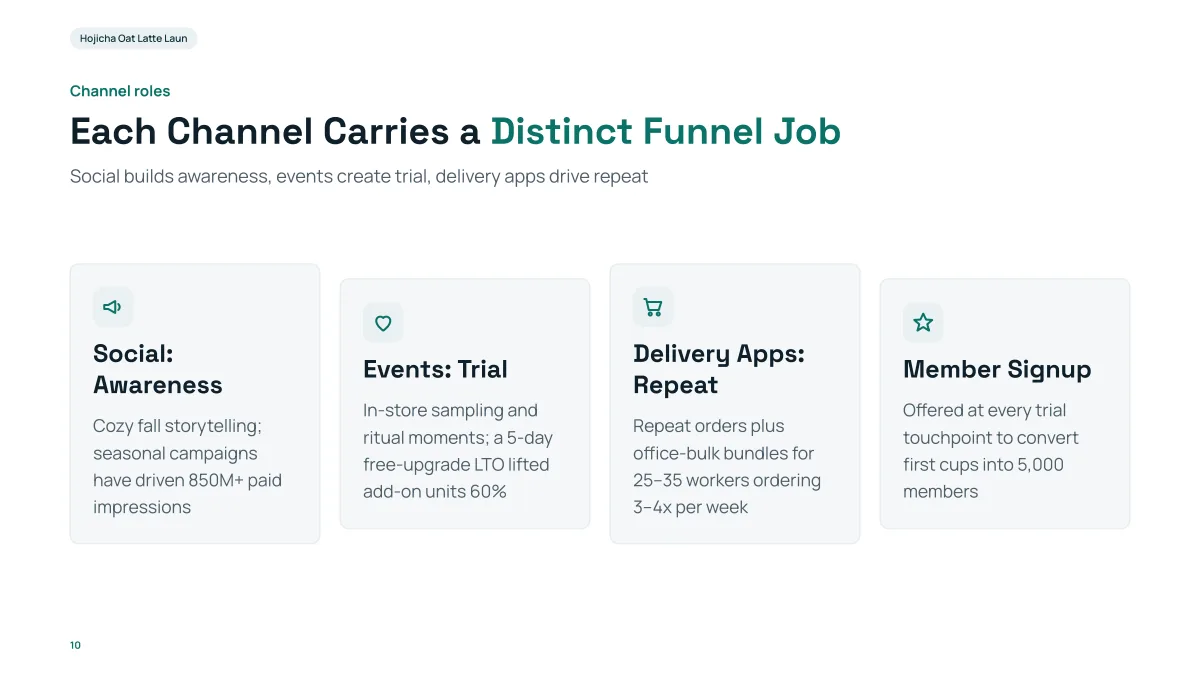
- Four cards with an icon, a short heading and two lines each: this is the look of a "cards" slide, so keep the text for each feature that short.
- The content is a made-up coffee launch. Your features, names and numbers come from your request, never from this example.
- In our recording, 12 slides came 97 seconds after the request (outline after 77 seconds), at 13 credits including one edit.
What should I check before I present a launch deck?
- Prices, dates, regions and feature names: compare each one with your brief. They are the facts people act on.
- Claims and numbers: the AI may propose a number you did not give, such as a split or a target, or use a figure from its web research (the sources are listed on the outline page). Ask for "only my facts" and check anyway.
- The word "TBD": when a figure is missing from your file, the slide can show "TBD". Search the exported deck for it. In our recorded course deck a slide carries a large "TBD" where the draft gave no figure.
- Screenshots: look at how each one is cropped.
- Speaker notes: the exported PowerPoint has no notes. Add yours in PowerPoint; see the speaker notes guide.
How many slides should a launch presentation have?
Twelve is a good length for a 15 to 20 minute launch talk by the rule of one to two minutes per slide. The product accepts 1 to 30 slides and the cover counts. See the guide on how many slides for a talk length.
How much text should each slide have?
Set "Text per slide": Minimal is about 50 words, Concise about 100, Detailed about 150 and Extensive about 210. A launch talk on a screen suits Minimal or Concise, and a deck you send to the press as a PDF can use Detailed.
Can it make the product images or a demo video?
No. The product makes slides and does not generate pictures or video. Use your own screenshots (added with "Add files") and do the live demo outside the deck.
Questions
Can AI make a product launch presentation?
Yes, for the slides. Give it your product facts, pricing, dates and audience in one request, and it drafts an outline of cards and then the slides. In our recorded 12-slide launch plan, the slides were ready 97 seconds after the request. The AI does not know your unreleased product, so every feature, price and date has to come from you.
What is the best structure for a product launch deck?
Our suggestion is 12 slides: cover, why now, what is new, how it works, the product in action, who it is for, proof, old way versus new way, pricing, availability and timeline, how to get started, closing. This is a structure we propose, not a measured best practice.
Will the AI invent features or numbers?
It is told not to invent statistics, to use facts only from your request, your files and its research, and to mark planning assumptions. It can still propose things you did not give, and web research can add figures with sources. Attach a brief with your figures, say "stick to the file", and check every number.
Can I use my own screenshots?
Yes. Add them with "Add files" (PNG, JPG, WebP or GIF, 25 MB each) and choose "My uploads" under "Pictures". The product does not generate images.
Does the export include speaker notes?
No. The exported PowerPoint has editable slide text and no notes. Add notes in PowerPoint.
How much does it cost?
Writing the outline is free. Quick mode costs 1 credit per slide, deep mode 3, each AI edit 1, and exporting is free. New accounts get 20 free credits; credit packs are one-time purchases (for example $5.99 for 40 credits plus 10 bonus) with no subscription, and credits never expire. See the Pricing page.
Start with your launch facts
Paste the prompt with your product, price and dates, add your screenshots, and review the 12 cards before any slide is made.
Make my launch deck