How do I make a literature review presentation with AI?
Updated 2026-11-09
A literature review presentation answers three questions: what is known on your topic, how the studies differ, and what is still missing. Group the studies by theme, not paper by paper; put the comparison of the key studies in one table; and end on the research gap, which is the slide the rest of the talk leads to. Nine to twelve slides is common for 15 minutes.
To build it with Gamma AI Slide, write your notes on the papers as a table (one row per study: authors and year, method, main finding, limitation) in Word or Excel, attach it with the PDFs you quote figures from, write the slide order in the request, check the outline cards and generate. You get an editable PowerPoint. Writing the outline is free; a quick-mode slide is 1 credit, so a 12-slide review is 12 credits.
Limits up front: the product reads only the files you attach. It does not search databases, does not check that a paper exists or says what a slide says it does, and does not format citations. This is not the guide for presenting one paper (see research paper to presentation) or your own study (see thesis defense). We have no recorded literature review: the picture is a different real recording and the table rows are placeholders. Product details were read from the code on 2026-11-09.
Six steps from your reading notes to the review deck
Decide how to group the studies, then name 3 to 5 themes
A review reads better when each slide is a theme, with the papers that belong to it, than a list of summaries. Common ways to group: by theme (what the studies are about), by time (how the field developed) or by method (how the studies were done). Pick the one your question needs and write the theme names at the top of your notes.
Write the comparison table in your notes
One row per study, five columns at most: study (authors, year), sample or context, method, main finding, limitation. Keep each cell to a short phrase. Put it in Excel or CSV, or as a table in a Word file (Word tables are read as tables and cited as “Table 1”). Your own words matter here: the AI summarises what you give it, not what you meant.
Most reference managers can export a list as CSV; we have not tested any of them, so check the columns that come out.
Attach the notes, and only the PDFs you quote figures from
On the home page, click "Add files", add your notes and the key PDFs. A PDF must have selectable text: a scanned PDF where each page is a picture is not read. Up to 24 files and 64 MB per request, 25 MB per file.
Why not all 30 papers: the outline reads about 24,000 characters in total, split between the files. Ten PDFs get roughly 2,400 characters each, about an abstract and a bit of the introduction (our approximation). Your notes table, which has one row per paper, is the better source for the overview; the PDFs are for the figures and quotations you want checked.
Write the request and set the outline options
Paste the request below with your themes. Click "Next" and choose "Quick mode" (1 credit per slide). Under "More", set the scenario to "Talk", the tone to "Rigorous" and "Text per slide" to "Concise". Audience: "Teammates" for a lab meeting or reading group, "Students" for a class. There is no academic or committee audience in the list, so say who is in the room in the request.
Write “use only the attached papers; do not add papers, authors or citations” in the request. If the outline page says “Found N sources”, the AI also looked at web pages: open the sources panel and remove anything that is not one of your papers.
Check the cards against the structure table
You should see one card per theme, one or more table cards, one gap card and a closing card. For the comparison cards pick the layout "Table" (2 to 5 columns, at most 6 rows per slide, cells are plain text): with more than six studies, split the table by theme across slides. For the gap pick "Points + takeaway" or "Statement". Rewrite one card with AI if a theme is mixed up. This step is free.
Generate, check every figure against the paper, write the references yourself
Click "Generate presentation". The export panel shows "x / y figures have a source". Click a number on a slide to see the file and the page it was read from (for example “Page 7”). Check each effect size, sample size and date against the paper yourself: the check shows where a figure was read, not whether the paper is right.
The optional “Add a sources page at the end” lists figures with their file and page. It is not a reference list. Paste your references from your reference manager into the last slide in PowerPoint; do not ask the AI to write citations. Export PowerPoint (.pptx) or PDF; the PowerPoint has no speaker notes.
A 12-slide structure, a comparison table, and a real table slide
This is our suggested structure for a 15-minute talk (common practice, not a standard). For a shorter slot, merge themes and keep the table and the gap.
| # | Slide | What goes on it | Minutes |
|---|---|---|---|
| 1 | Title | Topic, your name, course or group, date | 0.5 |
| 2 | Question and scope | The question the review asks, search terms and years covered, what was left out | 1 |
| 3 | Why it matters | The problem, with one figure | 1 |
| 4 | Map of the literature | The themes and how many studies sit in each | 1 |
| 5–7 | One slide per theme | What the studies agree on, the one or two that matter most | 4.5 |
| 8 | Comparison table | The key studies side by side: sample, method, finding, limitation | 2 |
| 9 | Where studies disagree | Conflicting results and the reasons offered (method, sample, period) | 1.5 |
| 10 | Research gap | What is not known, in one sentence | 1.5 |
| 11 | Next step | Your question or study that follows from the gap | 1 |
| 12 | References | The studies shown, in your required format | 0.5 |
The table slide has this shape. The rows are placeholders, not real studies, and one slide holds at most six of them:
| Study | Sample | Method | Main finding | Limitation |
|---|---|---|---|---|
| Author A (year) | 120 students, one university | Survey | Higher use went with higher scores | Use was self-reported |
| Author B (year) | 40 classes, two schools | Field experiment | Small gain after 8 weeks | Short follow-up |
| Author C (year) | 15 studies | Meta-analysis | Effect depends on age group | Mixed measures |
The picture is slide 11 of 12 in our recorded launch plan (quick mode, layout “Table”): a title, a one-line lead, four columns and four rows, and a note under it. It is not a literature review. It shows what a table slide from the product looks like with the limits above.
Prompt (English)
Literature review, 12 slides, 15 minutes
Using the attached notes table and papers, make a 12-slide literature review presentation for a 15-minute talk to my reading group on [topic]. Order: title; question and scope; why it matters; map of the literature; one slide for each of three themes ([theme 1], [theme 2], [theme 3]); a comparison table of the key studies (sample, method, finding, limitation); where the studies disagree; research gap; next step; references. Use only the attached papers: do not add papers, authors or citations. Use only figures that appear in the files and write TBD where one is missing. Each slide title states the point.
(Replace the topic and the three themes, and keep the sentences about the attached papers and about figures.)
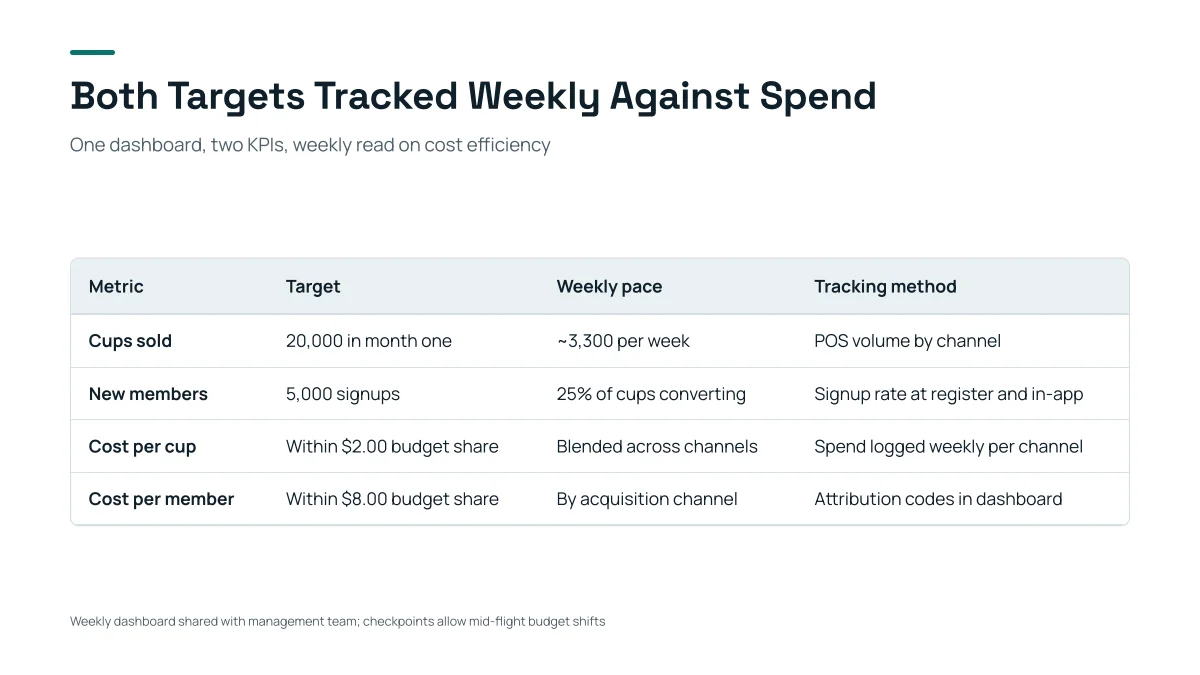
- Four columns and four rows, one short phrase in each cell: this is the size a comparison table slide holds. A literature table with five columns and six rows is the maximum.
- The title says what the table shows. Use the same habit: “Three of the four studies find a small gain”, not “Comparison”.
- The note under the table is where the source or the caveat goes; for a review, the search window or the inclusion rule.
How many slides and how many papers for a 10, 15, 20 or 30 minute talk?
Count one to two minutes per slide. A review talk is not a list of papers: name only the studies that carry a point, and put the rest in the table. This is a rule of thumb, not a standard; the product accepts 1 to 30 slides and the cover counts.
| Talk length | Slides | Studies named on slides | Studies in the table |
|---|---|---|---|
| 10 minutes | 6 to 8 | 3 to 5 | up to 6 |
| 15 minutes | 9 to 12 | 5 to 8 | up to 6 |
| 20 minutes | 12 to 16 | 8 to 12 | 6 to 12 (two table slides) |
| 30 minutes | 16 to 22 | 10 to 15 | 12 to 18 (two or three table slides) |
The last two columns are our suggestion. Check the length your course or group sets first.
Should I organise the review by theme, by time or by method?
By theme unless your question is about the field itself. Paper by paper repeats the abstracts; a theme shows the structure of what is known.
| Grouping | Use it when | Watch out for |
|---|---|---|
| By theme | You want to show what the studies agree and disagree on | A paper that fits two themes: put it in one and mention it in the other |
| By time | The question is how the field or a method developed | A timeline hides which finding matters most |
| By method | Studies differ because of how they were done (survey, experiment, meta-analysis) | The audience may not care about method until you show it changes the answer |
Whichever you pick, write the groups in your notes so the outline has them as cards.
How do I write the research gap slide?
State the gap in one sentence and point to the evidence for it on the previous slides. Common ways to say a gap, each needing a different sentence:
| Kind of gap | The sentence looks like |
|---|---|
| Missing evidence | “No study has measured X in Y.” |
| Different context | “The evidence comes from A; it is untested in B.” |
| Method limit | “Most studies rely on self-report; none uses Z.” |
| Conflict | “Studies disagree: P finds an effect, Q does not, and the difference may be R.” |
| Out of date | “The latest study used data from before …”. |
Write the sentence yourself and put it in your notes. The AI cannot know that no study exists: it only sees the papers you attached, and “no study has done X” is a claim you have to have searched for. Then ask for the gap card to use it word for word.
How does the product read a stack of PDFs?
It reads part of each file and says so. When the outline is written, all your files together get about 24,000 characters; each file’s share is that divided by the number of files. A long file is read as its table of contents first (Word headings and PDF bookmarks), then its opening. When each slide is made, it reads the whole paragraphs and tables from your files that match that slide’s card, up to about 14,000 characters.
- Fewer files, each one chosen: your notes table plus the 3 to 8 papers whose figures you quote.
- Text typed in the request box is read up to the first 8,000 characters when the outline is written.
- The sources panel on the outline page says which files were too long to read whole.
- Scanned PDFs (every page a picture) are not read.
What does the product not do for a literature review?
- It does not search Google Scholar, PubMed, arXiv or any database: there is no such search in the product. You choose the papers.
- It does not check that a paper exists, or that its conclusion matches the slide. Open each paper you cite.
- It does not write citations in APA, MLA or any other style, and its sources page is a list of figures, not a bibliography.
- It may add web pages as sources when the outline page says “Found N sources”. Remove what is not your literature.
- It does not judge whether your review is complete or whether the gap is real.
Questions
How do I make a literature review presentation with AI?
Put your notes on the papers in a table, attach it with the PDFs you quote, write the slide order and the themes in the request, check the outline cards, generate and export an editable PowerPoint. Then check every figure against the paper and add your own references.
How many slides should a literature review presentation have?
About one to two minutes per slide: 9 to 12 slides for 15 minutes, 12 to 16 for 20 minutes. Name only the studies that carry a point; put the rest in one comparison table of at most six rows per slide.
What should a literature review presentation include?
The question and scope, why it matters, a map of the literature, one slide per theme, a comparison table of the key studies, where the studies disagree, the research gap, the next step, and references.
Can the AI find papers for me?
No. It reads the files you attach (and, in some outlines, web pages it lists as sources). It does not search academic databases. Choose the papers yourself.
Will it invent citations or findings?
If your attached files contain figures, a figure they lack is written as TBD instead of an invented number, and the export panel lists figures without a source. It cannot guarantee that a summary matches the paper, and it does not check that a citation exists: open each paper you cite and write the references yourself.
How many papers can I attach?
Up to 24 files and 64 MB per request. But the outline reads about 24,000 characters across all files, so ten PDFs give each about an abstract. Attach your notes table and the few papers whose figures you quote.
Does the PowerPoint include speaker notes?
No. The exported PPTX has text, shapes and tables you can edit, but no speaker notes; write your own in PowerPoint.
How much does it cost?
Writing the outline is free. Quick mode costs 1 credit per slide, deep mode 3, each AI edit 1. Exporting costs no credits, but it needs Level 2 (any credit pack, bought once) or one new person invited per deck. New accounts get 20 free credits; credit packs are one-time purchases with no subscription, and credits never expire. See the Pricing page for the packs.
Are my files used to train AI models?
No. We do not use your files to train AI models. The text of your files is sent to AI providers to write the outline and slides; the Privacy Policy has the details.
Start from your reading notes
Attach your notes table and key papers, write the themes, and see the outline cards, and which figures are marked TBD, before any slide is made.
Make my literature review